Multi-Location Management
Managing multiple stores with disconnected tools creates blind spots, data inconsistencies, and duplicated effort. AccuArk© Multi-Location Management keeps every location in sync with a unified dashboard, centralized inventory, and consolidated reporting. Each store gets its own tax rates, policies, POS terminals, email settings, payment processing, and notification preferences, while you maintain full visibility and control from one place. Add locations as you grow -- no complexity, no limits.
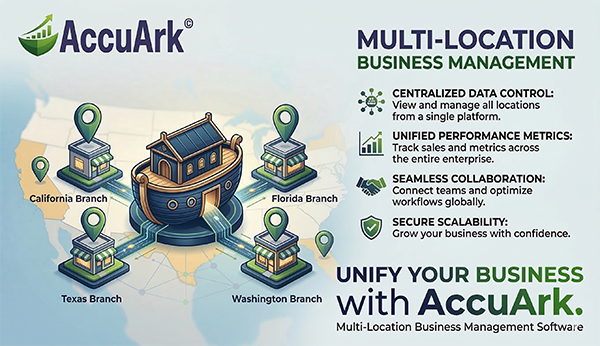
Unified Dashboard & Live Data Sync
See every location at a glance from one unified dashboard. Live data sync ensures that inventory, sales, and customer data stay current across every store in real time -- no batch imports, no delays, no discrepancies.
Unified Dashboard
View sales, inventory, and alerts for all stores in one place
Live Data Sync
Real-time sync keeps inventory, prices, and customer data current
Consolidated Reporting
Run reports across all locations or filter by individual store
User Permissions by Location
Control which employees can access which stores and data
Location Business Info
Set unique address, phone, and branding per location for receipts
Multi-Location Employee Access
Employees can work across multiple locations with controlled access
Location-Based CRM Visibility
Customer data filtered by location for relevant sales insights
Disable & Re-Enable Locations
Disable a location to hide it from menus without deleting any data
Per-Location Settings & Configuration
Every location is different. AccuArk© lets each store configure its own tax rates, policies, email settings, payment processing, receiving preferences, notifications, and more -- all from a single location editor with nine dedicated tabs.
Location-Specific Tax Rates
Enable or disable individual tax rates per location with percentage or per-unit charges
Policies & Serial Capture
Print custom return policies on invoices and require serial number capture per location
Per-Location Email (SMTP)
Configure separate SMTP server, from address, and reply-to for each location
Payment Processing
Set tip presets, surcharge rates, void/refund routing, and auto batch settlement per store
Receiving Preferences
Set default receiving zone, require zone selection, and control overflow to unassigned
Notification Settings
Control refresh interval, auto-archive days, and dropdown limits per location
Licenses
Assign, create, and manage licenses per location with status and expiration tracking
POS Machines
View and manage POS machines assigned to each location with status and startup screens
Centralized Inventory & Stock Transfers
Track inventory across every location from one place. Transfer stock between stores with full tracking, manage storage zones per location, and fulfill orders from whichever location has the product in hand.
Centralized Inventory Tracking
View and manage stock levels at every location from one screen
Inter-Location Transfers
Move inventory between stores with real-time quantity preview before confirming
Storage Zones Per Location
Organize warehouse zones and bins independently at each store
Multi-Location Fulfillment
Fulfill invoices from any location that has the product available
Multi-Location Assets
Track fixed assets assigned to each location with transfer history
Zone-to-Zone Moves
Move stock between storage zones within the same location with full tracking
Stock Requests & Transfer Tracking
Locations can request stock from other stores or vendors through a centralized request center. Every transfer is tracked from creation through receipt with status, priority, and direction filters so nothing falls through the cracks.
Stock Request Center
Review, approve, or reject stock requests from any location. The sourcing panel shows stock at other locations and existing purchase orders to help you decide how to fulfill each request.
Transfer Status Tracking
Track every inter-location transfer through its lifecycle -- Pending, In Transit, Received, or Cancelled. Filter by direction, status, and priority to find any shipment instantly.
Flexible Fulfillment
Fulfill stock requests by creating a transfer from another location, generating a new purchase order, or linking to an existing PO -- whichever is fastest and most cost-effective.
Accounting, Bills & Operations Across Locations
Full financial visibility across every store with multi-location accounting, bill tracking, and consolidated reporting. Each location maintains its own books while you see the complete picture from above.
Multi-Location Accounting
Separate books per location with consolidated financial statements across your entire business for a complete picture.
Multi-Location Bill Tracking
Track vendor bills per location and see outstanding payables across all stores in one view for better cash flow management.
Consolidated Reporting
Run reports across all locations or filter by individual store for sales, inventory, profit and loss, and financial data.
Location-Specific Settings
Configure tax rates, policies, receiving preferences, email settings, and payment processing independently for each location.
Granular User Permissions
Control which employees can access which locations with role-based permissions that limit visibility and actions per store.
Profit & Loss by Location
See which locations are profitable and which need attention with per-location P&L reports alongside consolidated views.
What Sets AccuArk© Multi-Location Apart
These capabilities let you scale from one store to many without adding complexity, workarounds, or manual processes.
Per-Location Configuration
Every location is unique. AccuArk© lets each one operate independently.
- Unique tax rates and tax rules per store
- Independent policies, receiving preferences, and serial capture
- Per-location SMTP email with custom from address and reply-to
- Separate payment processing with tips, surcharges, and auto-settle
Seamless Stock Transfers
Balance inventory across stores without spreadsheets or phone calls.
- Transfer stock between any two locations with real-time preview
- Track transfers through Pending, In Transit, Received, and Cancelled
- Stock request center with sourcing intelligence and vendor linking
- Move stock between zones within the same location
Consolidated Financial View
See the big picture without losing the details of individual stores.
- Company-wide financial statements across all locations
- Profit and loss reporting by location for comparison
- Consolidated vendor bill tracking across stores
- Filter any report by location or view all combined
Per-Location POS & Machines
Each store runs its own POS terminals with independent configuration.
- Configure POS machines independently per location
- Location-specific notification and alert settings
- Starting number sequences per location for invoices
- Email receipt prompts configurable per store
Scale Without Complexity
Most multi-location tools force you to choose between centralized control and local flexibility. AccuArk© gives you both -- unified inventory and reporting across all locations, with per-store tax rates, policies, POS machines, SMTP email, payment processing, and notification settings. Add a new location in minutes, not days. One source of truth, zero data silos.
Why Multi-Location Management Matters
Growth should not create chaos. The right multi-location system lets you expand confidently while maintaining the consistency and control your customers expect.
Grow Without Complexity
Adding a new location takes minutes, not weeks. Every module -- inventory, POS, accounting, CRM -- automatically supports your new store with its own settings and data while staying connected to your central system.
One Source of Truth
Real-time sync eliminates the spreadsheets, manual exports, and data discrepancies that plague multi-store operations. Every location works from the same up-to-date data at all times.
Consistent Customer Experience
Customers expect the same pricing, promotions, and service at every location. Centralized item management with location-specific settings ensures consistency without sacrificing local flexibility.
Explore More Modules
AccuArk© modules work together seamlessly to run your entire business.
Choose Your Plan & Start Your Free Trial
Every plan includes all features. No feature walls, no hidden fees. Cancel anytime.
Perfect for solo entrepreneurs and single-register shops
- All Features Included
- Free Updates Forever
Three machines for your growing single-location business
- All Features Included
- Free Updates Forever
Two locations with 3 machines each — your first multi-site step
- All Features Included
- Free Updates Forever
Best value for growing chains — 20 locations
- All Features Included
- Free Updates Forever