Reporting & Analytics
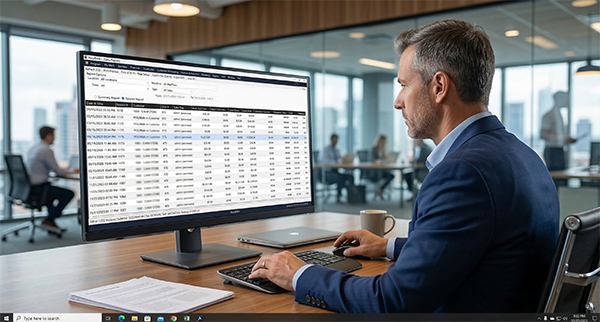
Running a business without clear data is like driving blind. AccuArk© gives you 66+ built-in reports covering every area of your operations — from daily sales summaries to detailed audit trails. Filter by location, date range, category, cashier, or customer to get exactly the insight you need. Every report exports to Excel and PDF with a single click, so sharing data with your accountant or partners takes seconds, not hours.
Sales & POS Shift Reports
Understand what sells, when, and where. AccuArk© sales reports break down revenue by item, category, customer, cashier, and location — while POS shift reports keep your register operations accountable with cash drawer reconciliation and daily close summaries.
Sales Summary & Sales Trend
High-level invoice totals by status with trend analysis over time
Sales by Item, Category & Customer
Slice sales data by dimension with COGS and profit margin calculations
Sales by Cashier & Location
Measure performance by employee and compare locations side by side
Top & Bottom Selling Items
Identify your best and worst performers to optimize inventory
Returns, Refunds & Voids
Track return reasons, refund amounts, and voided transactions
Discounts & Price Overrides
Audit every discount applied and price override made at the register
POS Shifts & Daily Close
Shift summaries with deposit, withdrawal, and cash count details
Cash Drawer Reconciliation
Compare expected vs. actual drawer amounts at every shift end
Inventory & AP Reports
Stay on top of stock levels, vendor obligations, and cost management. Inventory reports cover every movement from receiving to transfers, while AP reports track bills, aging, and vendor spend across all your locations.
Stock Availability by Location
Real-time stock levels across all locations in a single view
Valuation & Cost Changes
Track inventory value and cost fluctuations over time
Turnover, Dead Stock & Movers
Identify fast movers, slow movers, and dead stock automatically
Reorder Alerts & Negative Stock
Catch low stock and negative quantities before they cause problems
AP Aging & Vendor Statements
Track outstanding bills and vendor balances by aging bucket
Vendor Spend Analysis
Understand where your purchasing dollars go across vendors
Financial Statements & Accounting Reports
Complete financial reporting from trial balance to cash flow. AccuArk© generates the statements your accountant needs — with multi-location breakdowns, period comparisons, and full general ledger detail.
Profit & Loss Statement
Revenue, expenses, and net income for any period. Run P&L by location to compare performance across stores.
Trial Balance & Balance Sheet
Verify account balances with the trial balance report and generate a complete balance sheet showing assets, liabilities, and equity.
Cash Flow Statement
Track cash inflows and outflows across operating, investing, and financing activities for complete liquidity visibility.
General Ledger Detail
Drill into every transaction posted to any account. View journal entries with full debit and credit details.
Tax Reports
Generate tax reports for compliance and filing. Track taxable sales and liabilities across locations and periods.
P&L by Location
Compare profitability across locations with side-by-side P&L breakdowns for each store or branch.
Employee, Customer & Audit Reports
From payroll summaries to customer retention analysis, AccuArk© covers the people side of your business. Audit reports track every login, permission change, and sensitive action for complete accountability.
Employee Reports
Salary reports, time and attendance, hours worked, overtime, break compliance, labor cost vs. sales, and sales per labor hour.
Customer Reports
Customer analysis, customer list, top customers, customer retention, and store credit and gift card balance tracking.
Audit & Security Reports
Login audit, lockout reports, user sessions, permission changes, voids and refunds audit, and price overrides audit trail.
Payments Received & Made
Summary and detail reports for all payments received from customers and payments made to vendors, with method breakdowns.
Transaction Audit History
Full change history on every financial transaction — who changed what, when, with old and new values side by side.
Export to Excel & PDF
Every report can be exported to CSV or PDF with a single click. Share data with your accountant, partners, or team.
What Sets AccuArk© Reporting Apart
These are the capabilities that make AccuArk© reporting more than just numbers on a screen — features that turn raw data into actionable business intelligence.
Sales Analysis by Any Dimension
Slice your sales data any way you need it.
- Analyze by category, customer, cashier, or location
- Switch between summary and detailed line-item views
- COGS and profit margin calculated on every row
- Custom date ranges with quick presets
Multi-Location Comparison
Compare performance across all your stores from one screen.
- Filter any report by individual location or all locations
- P&L by location for side-by-side profitability
- Stock availability across every warehouse and store
- Location-level permissions control data visibility
One-Click Export & Print
Get your data out of the system in the format you need.
- Export to CSV for spreadsheet analysis
- Export to PDF for professional sharing
- Print preview with page setup and margins
- Keyboard shortcuts for fast exporting (Ctrl+E, Ctrl+S)
Complete Audit Trail
Every action is recorded for accountability and compliance.
- Transaction audit history with old and new values
- Login audit log with timestamps and IP addresses
- Voids, refunds, and price overrides tracked per user
- Read-only audit records that cannot be modified or deleted
66+ Reports, Zero Guesswork
Most business software gives you a handful of basic reports and calls it done. AccuArk© delivers 66+ built-in reports covering sales, inventory, financials, payroll, customers, and audit trails — all filterable by location, date range, and custom dimensions. Export to Excel or PDF in one click. Stop guessing and start making decisions backed by real data.
Why Reporting & Analytics Matter
The businesses that grow are the ones that measure. Here's why comprehensive reporting is essential to your bottom line.
Data-Driven Decisions
Stop guessing which products to stock, which employees perform best, or which locations are most profitable. AccuArk© reports give you the answers in seconds.
Spot Trends Early
Sales trending down at a location? Dead stock piling up? AP aging past 90 days? Catch problems before they become crises with real-time trend analysis.
Measure Performance
Compare cashier productivity, location profitability, and vendor costs. Hold every part of your business accountable with clear, exportable metrics.
Explore More Modules
AccuArk© modules work together seamlessly to run your entire business.
Choose Your Plan & Start Your Free Trial
Every plan includes all features. No feature walls, no hidden fees. Cancel anytime.
Perfect for solo entrepreneurs and single-register shops
- All Features Included
- Free Updates Forever
Three machines for your growing single-location business
- All Features Included
- Free Updates Forever
Two locations with 3 machines each — your first multi-site step
- All Features Included
- Free Updates Forever
Best value for growing chains — 20 locations
- All Features Included
- Free Updates Forever