Notification System
Critical information gets lost when teams rely on verbal updates and sticky notes. AccuArk© Notification Center gives your entire team a centralized hub for alerts, messages, and system events. Compose targeted notifications to individuals or roles, set urgency levels from low to critical, and track who has acknowledged each message. Automatic alerts for low stock and system events keep everyone informed without manual monitoring.
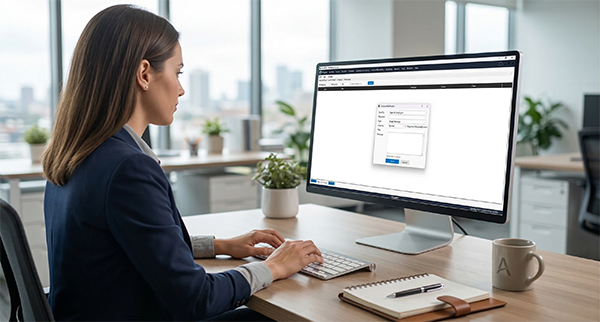
Notification Center
The Notification Center is your team's central hub for all internal messages and alerts. Three tabs keep things organized: Inbox for received notifications, Sent for messages you've dispatched, and Archive for items you've reviewed and filed away.
Inbox
View all received notifications with urgency, type, category, and sender details
Sent
Track notifications you sent with read count and acknowledgment status
Archive
Store reviewed notifications out of your inbox for future reference
Bell Icon Quick Access
Click the notification bell icon for instant access from anywhere in the app
Compose & Target Notifications
Send the right message to the right people. Compose custom notifications and target them to specific users, roles, or your entire organization. Set urgency levels and require acknowledgment for critical messages.
Compose Notifications
Write custom notifications with titles, messages, and urgency levels
Target by Role or User
Send to specific users, entire roles, or your whole organization at once
Urgency Levels
Categorize as Low, Normal, High, or Critical to signal importance
Acknowledgment Required
Require recipients to acknowledge critical notifications so you know they saw it
Mark All Read
Clear your inbox with one click by marking all notifications as read
Archive Read Messages
Move all read notifications to the archive to keep your inbox clean
Smart Alerts & User Preferences
Every user controls which notifications they receive. AccuArk© automatically generates alerts for critical events like low stock levels and system changes. Filter by category, urgency, and read status to find what matters fast.
Notification Preferences
Each user enables or disables specific notification categories and sets the minimum urgency level for each. Only the alerts you care about reach your inbox.
Low Stock Alerts
Automatic notifications when inventory items fall below their configured reorder points. Your team knows to reorder before you run out.
System Notifications
Automated alerts for system events, administrative actions, and important updates keep your team informed about changes that affect their work.
Advanced Filtering
Filter your inbox by category, urgency level, and read/unread status. Search by keyword to find specific notifications instantly.
Notification History
Full searchable history of all sent and received notifications. Paginated results make it easy to find any past alert or message.
Reset Defaults
Changed too many settings? Reset all notification preferences to defaults with one click and start fresh.
What Sets AccuArk© Notifications Apart
These are the capabilities that make AccuArk© notifications a true team communication tool rather than just a list of alerts.
Acknowledgment Tracking
Know exactly who has seen critical messages.
- Require acknowledgment on important notifications
- See read count and acknowledged count per notification
- Track which recipients still need to acknowledge
- Full audit trail for compliance and accountability
Smart Prioritization
Not every alert deserves the same attention.
- Four urgency levels: Low, Normal, High, Critical
- Users set minimum urgency thresholds per category
- Critical alerts always get through regardless of preferences
- Visual urgency indicators make priorities obvious at a glance
Real-Time Delivery
Alerts arrive the moment they matter.
- Notifications delivered instantly within the application
- Bell icon updates with unread count in real time
- Automatic alerts for inventory and system events
- No polling or refreshing needed
Per-User Preferences
Every team member gets the alerts they need, not the ones they don't.
- Enable or disable specific notification categories
- Set minimum urgency level per category
- Managers see everything, cashiers see what's relevant
- Reset to defaults anytime with one click
Alerts That Actually Get Seen
Most notification systems are fire-and-forget. AccuArk© goes further — acknowledgment tracking confirms who has read each message, urgency levels ensure critical alerts stand out, per-user preferences prevent notification fatigue, and automatic low-stock alerts keep your team ahead of inventory issues before they become customer problems.
Why Notifications Matter
When your team is informed, they respond faster, make better decisions, and keep your business running smoothly.
Stay Informed
Real-time alerts mean your team always knows what's happening. Low stock warnings, system events, and custom messages reach the right people immediately.
Respond Fast
Urgency levels and acknowledgment tracking ensure critical issues get attention immediately. No more wondering if anyone saw the message.
Automate Communication
Automatic alerts for low stock and system events eliminate manual monitoring. Your team gets informed without anyone having to remember to send the message.
Explore More Modules
AccuArk© modules work together seamlessly to run your entire business.
Choose Your Plan & Start Your Free Trial
Every plan includes all features. No feature walls, no hidden fees. Cancel anytime.
Perfect for solo entrepreneurs and single-register shops
- All Features Included
- Free Updates Forever
Three machines for your growing single-location business
- All Features Included
- Free Updates Forever
Two locations with 3 machines each — your first multi-site step
- All Features Included
- Free Updates Forever
Best value for growing chains — 20 locations
- All Features Included
- Free Updates Forever